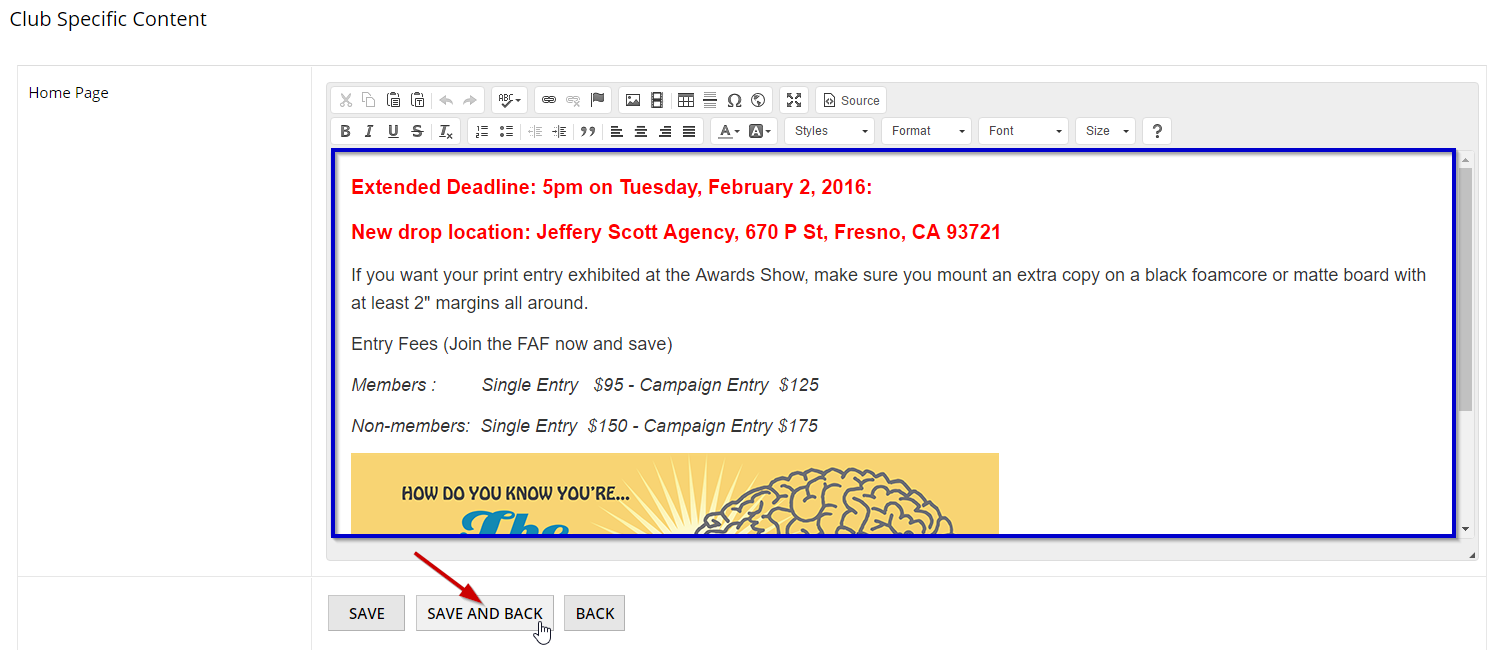
STEP 1: Click Manage next to the active program you are interested in
- Starting from your dashboard, in the Active Programs box click Manage for the target program.
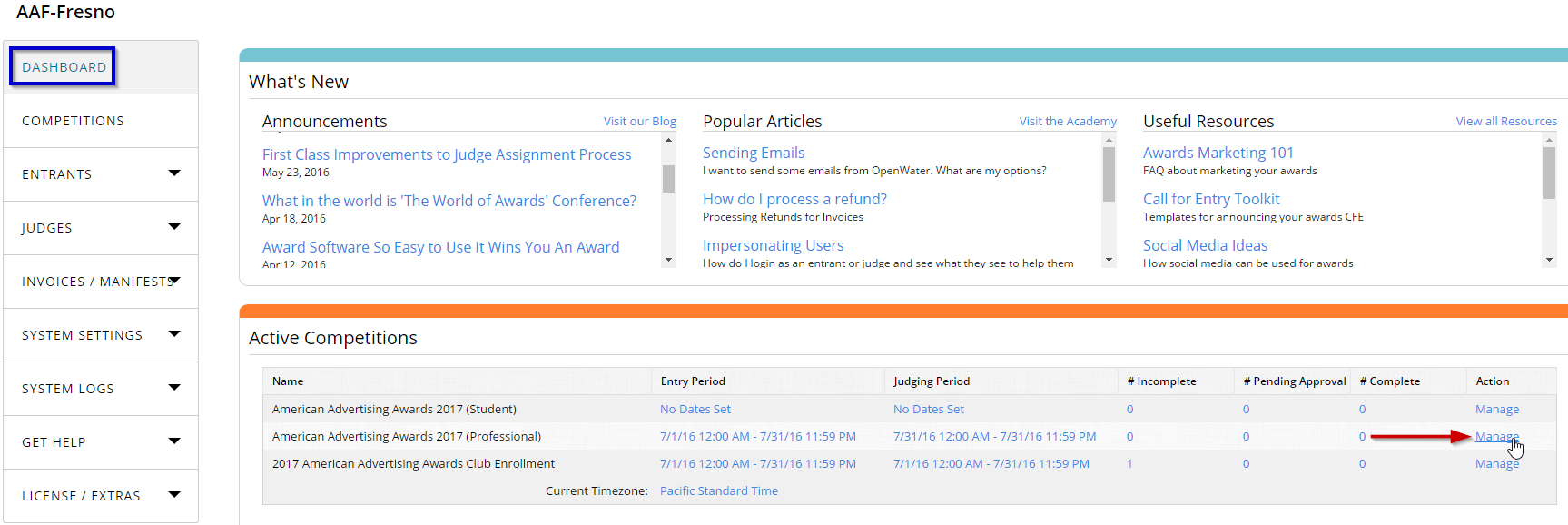
STEP 2: Open the Home page URL
- Copy the Home Page URL form the text box in the center of the screen.
- Paste it in the new browser tab and click Enter.
STEP 3: Check the Landing page content
- Make sure the landing page content is correct.
- If you need to edit it, proceed to the next step.

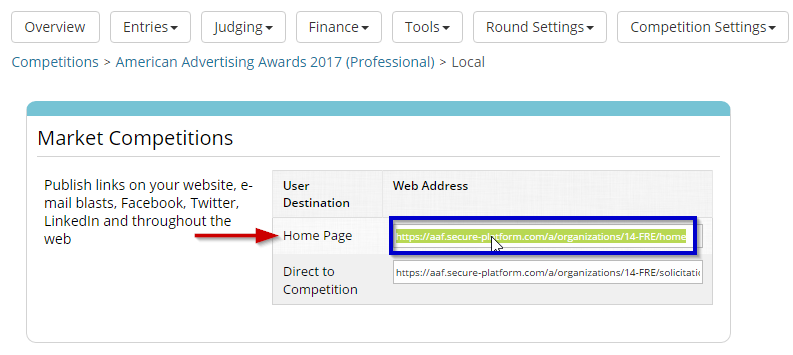
STEP 4: Open Club Specific Content
- Starting from your dashboard, open System Settings drop-down menu on the left and select Organization Specific Content.
STEP 5: Click Edit for Home Page item
- In the opened window find the Home Page item and click Edit next to it.

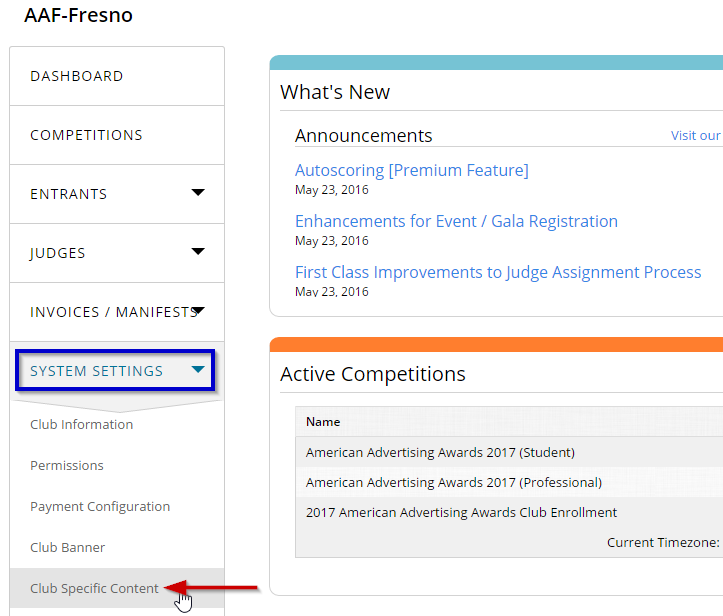
STEP 6: Edit and save home page content
- Make any necessary changes to the landing page content in the rich edit textbox.
- Click Save and Back to apply changes and return to the previous page.