Upload Your Organization Banner
Last updated
STEP 1: Go to Club Banner under System Settings
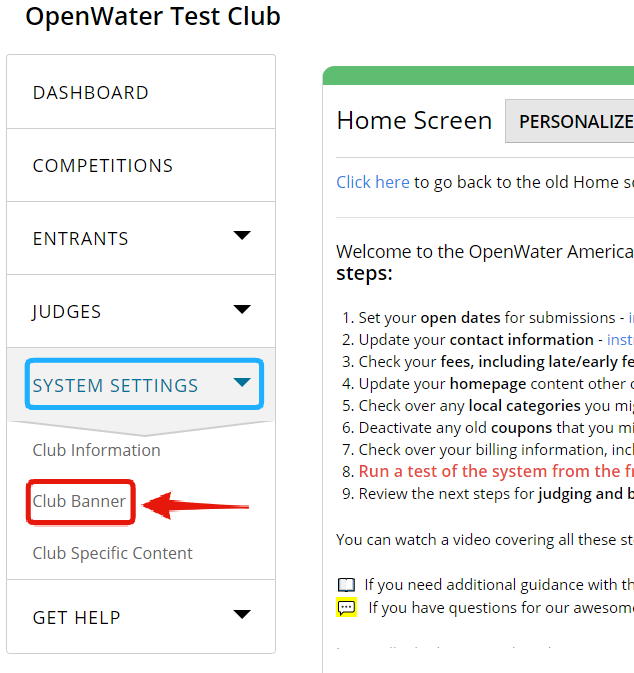
From Dashboard, open the System Settings drop-down on the left and select Club Banner item.
STEP 2: Select image to serve as a banner
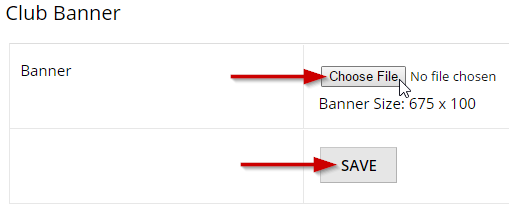
Click Coose File to select the image to upload as your awards website banner. Make sure it has proper size: 675 x 100 pixels.
Click Save to apply.
STEP 3: Open Public Website to check
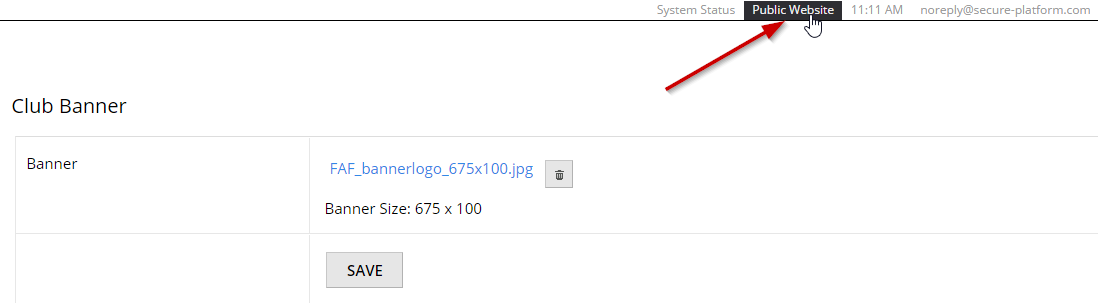
Open your website by clicking Public Website to see how the banner looks.
STEP 4: Enjoy (or fix)
If you like how the uploaded image looks as a banner, congrats!
If not, edit it or change and repeat STEPS 1-3 ro re-upload.