Submit a Test Entry
STEP 1: Use Click Here to Submit Your Entry Link on Public Website
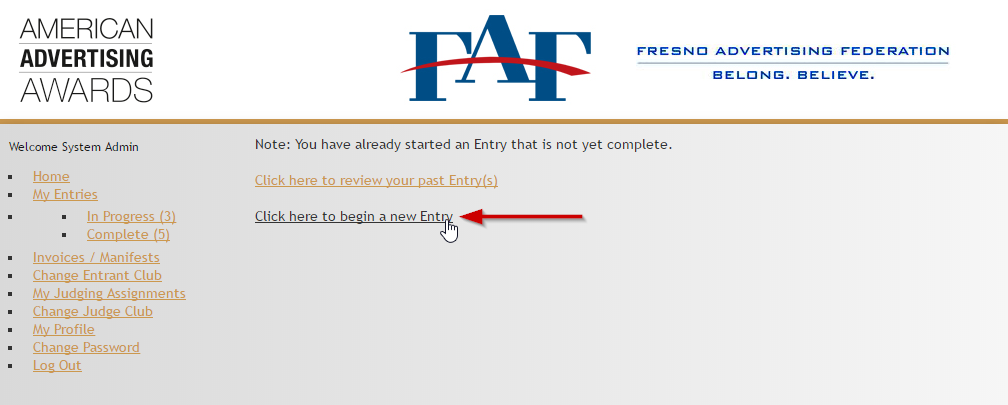
Once you open the main page of the awards website, click on Click Here to begin a new Entry to initiate the preliminary submission process.
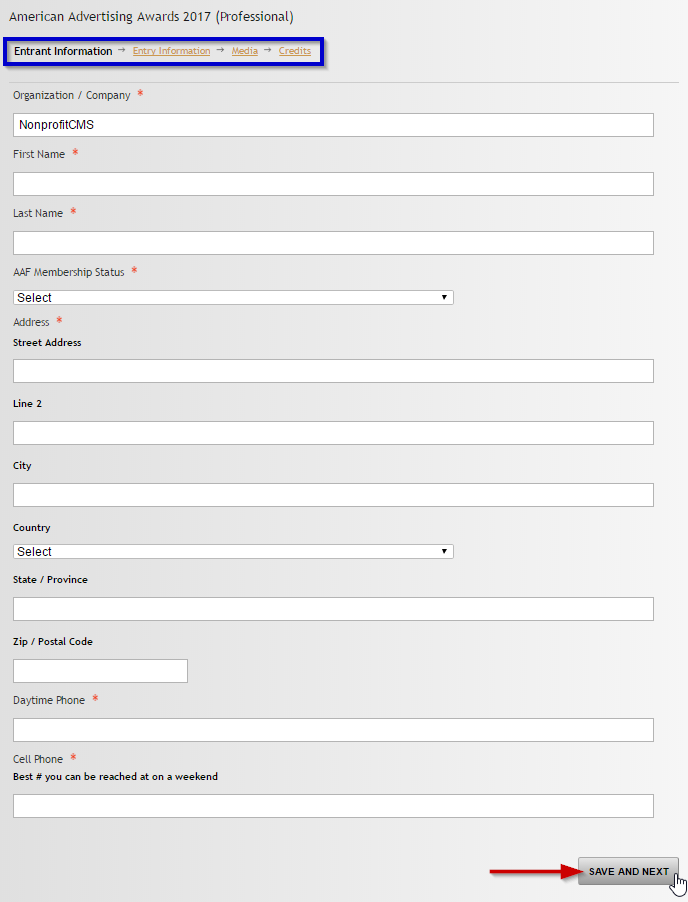
Fill in all required fields on the form - they are all required here as this is the critical personal and project-related information to be used to identify you and your submission throughout the process.
Click Save and Next at the bottom of the page to apply changes and move to the next part of the form.
On the last page click Add to Cart to proceed to checkout.
STEP 3: Review and Checkout options
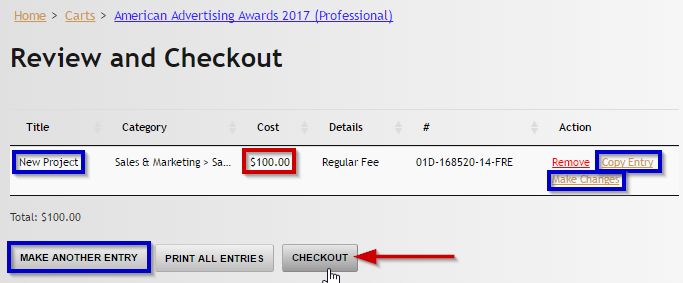
Once you click Add to Cart, you are directed to Review and Checkout page.
Please make sure the Title of the project, its category and Cost are correct.
If some information needs correction, click Make Changes.
If you want to submit the same project into another category, click Copy Application.
If you want to submit another project, click Make Another Submission.
If everything you wanted to submit is already in the list and all details are correct, click Checkout.
STEP 4: Submit payment information
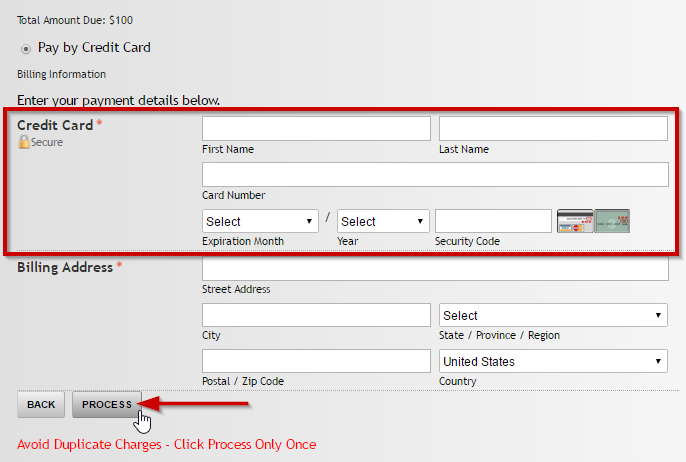
Enter payment credentials and details.
Click Process when everything looks fine.