Setting up Organization Information
Last updated
STEP 1: Go to Club Information in System Setings
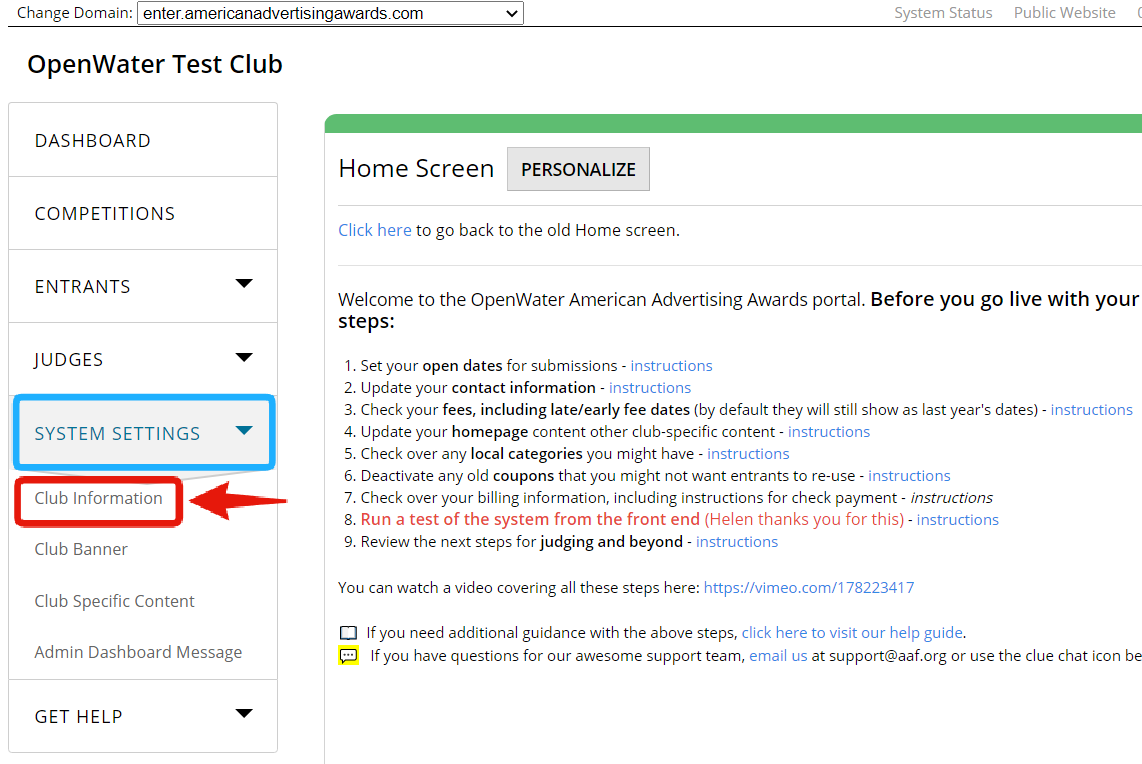
On the left navigation bar, click the arrow in System Settings to reveal the drop down menu.
Find and click on Club Information.
STEP 2: Configure the club settings
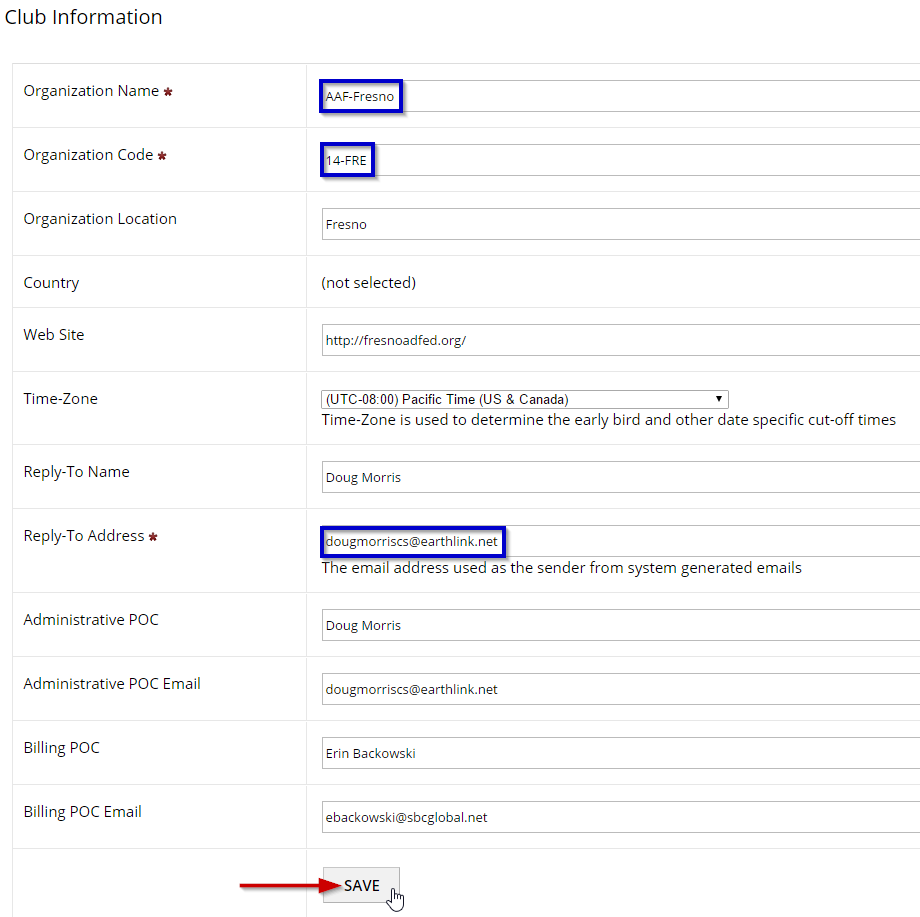
Configure the club specific settings.
Specify the Reply-To email address used to send system-generated emails.
Click Save to apply changes.