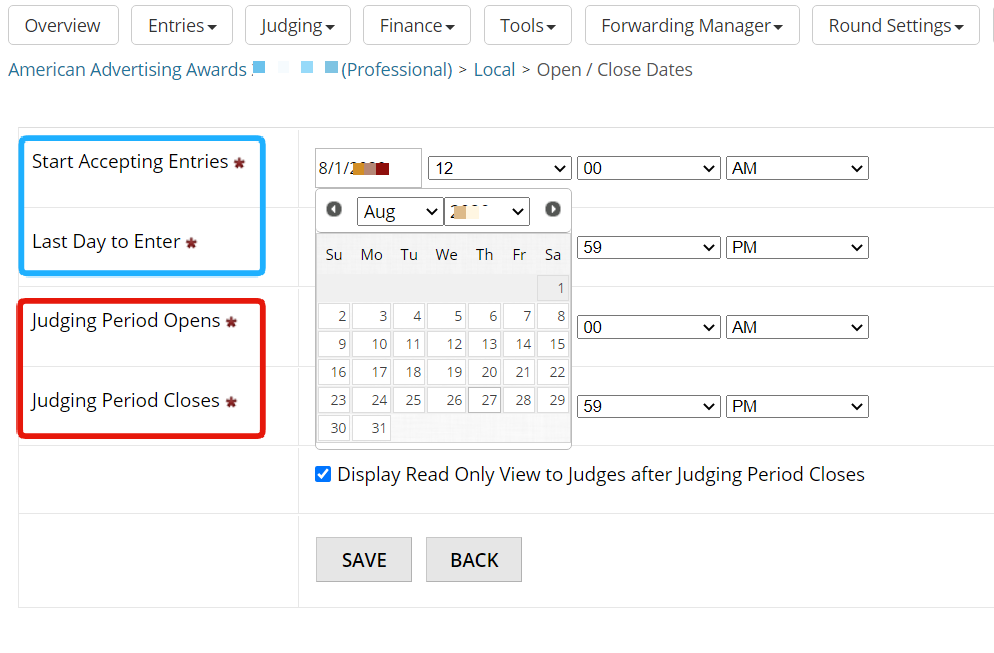
Set Submission and Judging Dates
Last updated
STEP 1: Click Manage next to the active program you are interested in
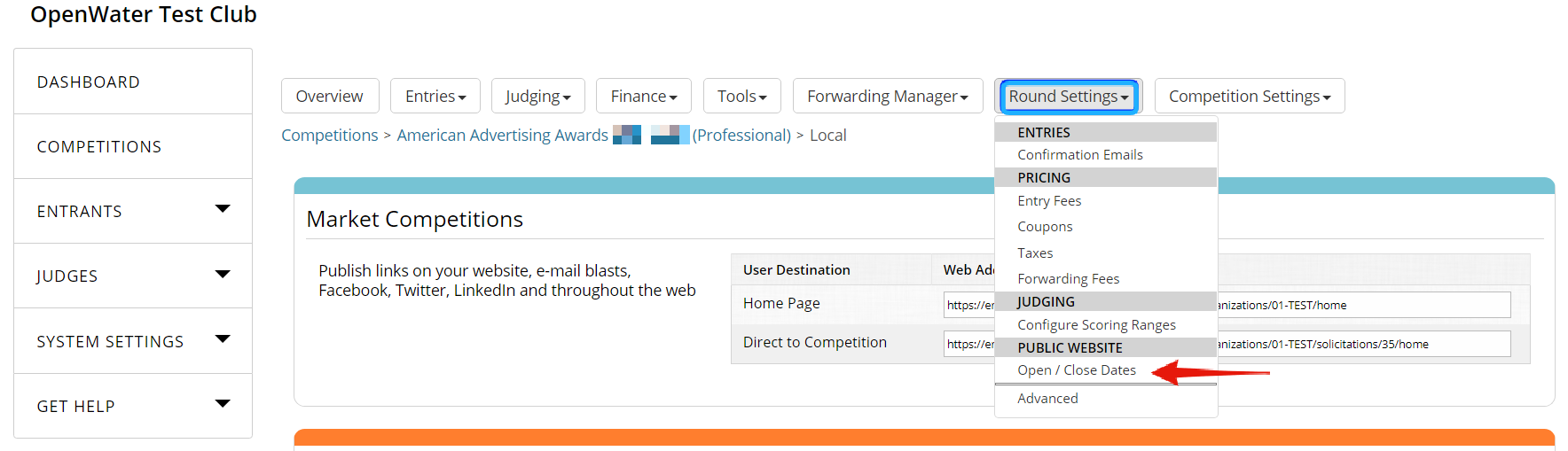
From Dashboard click Manage next to the target program.

Select Open / Close Dates from the Round Settings drop-down menu.
Pick the starting and ending date for submissions from the calendar. Set the exact starting and ending time.
Pick the starting and ending date for judging from the calendar. Set the exact starting and ending time.
Click Save button to apply changes.